Label
The Label widget shows short text values with optional horizontal scrolling for longer messages. Use it for quick status updates or contextual information driven by device capabilities, Homey variables, or DataVista action cards.
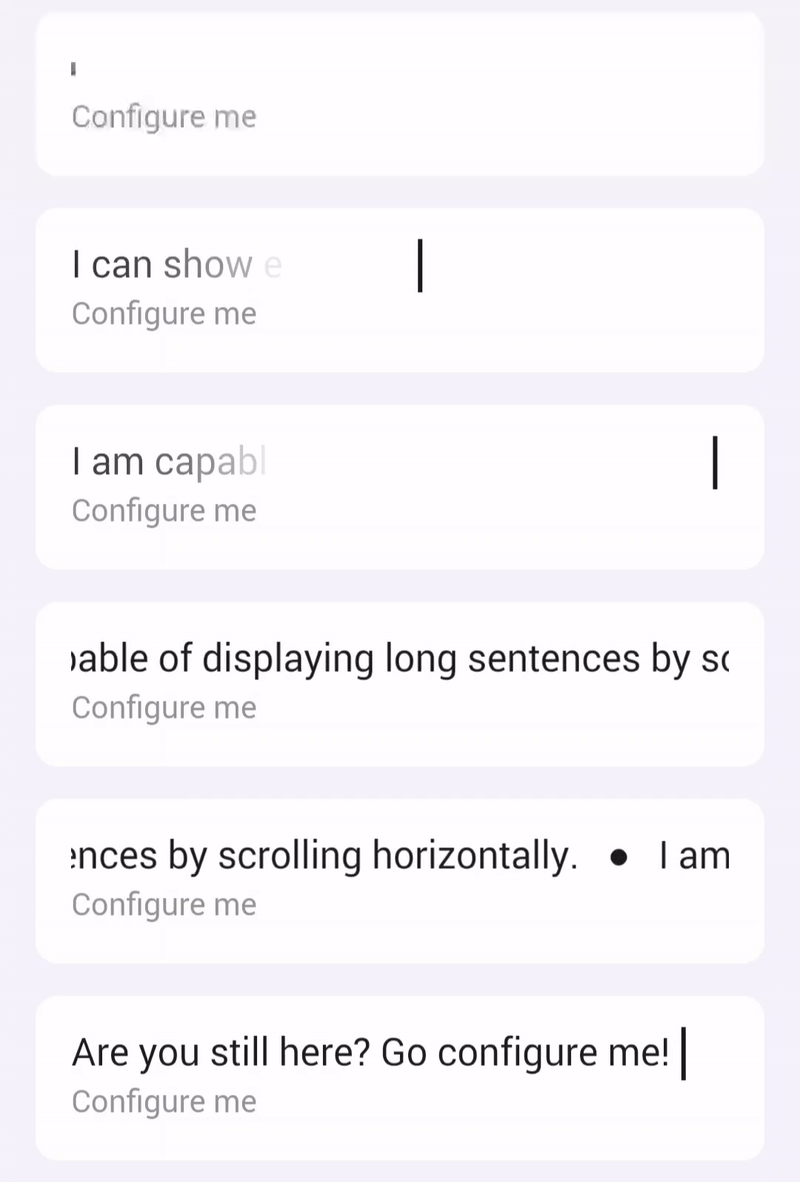
Add the widget to your dashboard
- Open the Homey app and go to Dashboards.
- Enter Edit Mode and select Add Widget.
- Choose Apps and select DataVista.
- Pick the Label widget.
- Click the preview to add it to your dashboard.

Configure the widget
| Setting | Description |
|---|---|
| Datasource | Select a DataVista text value*, device capability, or Homey variable to supply the text. |
| Text fade-in effect | Enable a fade-in animation when the text updates. Disable it for rapidly changing labels. |
| Bold text | Toggle bold styling. |
| Refresh interval | Polling frequency when using device capabilities or Homey variables. |
| Show icon | Display the capability or device icon (capability takes priority). |
| Show name | Display the datasource name. |
| Overwrite name | Replace the datasource name with custom text. |
| Transparent background | Toggle between a solid tile or transparent background. |
warning
To use a DataVista text value, create a flow that sets the value via a DataVista action card and run it once so the value becomes selectable in the widget settings.
DataVista
[Text] Set value for identifier
i
Set a text that can be used in DataVista widgets.
FAQ
Why does the label show "Configure me"?
The datasource is missing or unavailable. Reconfigure the datasource setting and select a valid source.